Artifacts: turn strategy into shippable content
Artifacts are the approved, project‑local outputs Persona X can generate on your behalf — decks, one‑pagers, landing pages, and more — each grounded in your Strategy, Signals, and brand identity. The page's own description is blunt about the bar: "publish only the keepers that should become workspace standards."
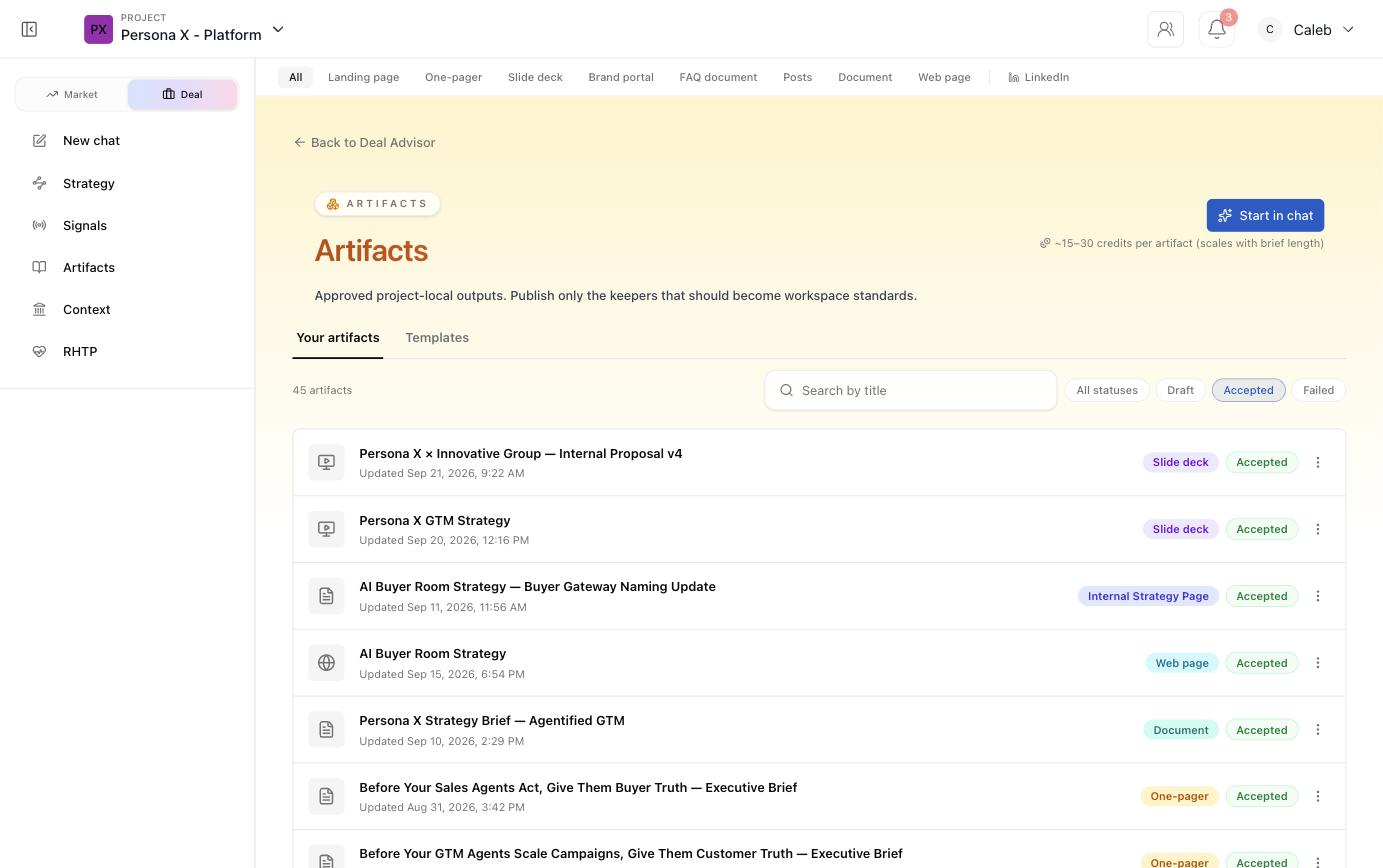
Artifact types
A type filter along the top of the page lets you narrow the library to one format:
Landing page
A standalone marketing page.
One‑pager
A single‑page brief or leave‑behind.
Slide deck
A full presentation, e.g. a GTM strategy walkthrough or an internal proposal.
Brand portal
A hub page reflecting brand identity and assets.
FAQ document
A structured Q&A reference.
Posts
Short social‑style copy.
Document
General‑purpose written output (briefs, proposals, strategy pages).
Web page
A general web page output distinct from a landing page.
Routes to the dedicated LinkedIn workflow.
Your artifacts vs. Templates
Two tabs organize the library:
- Your artifacts — everything generated for this project, filterable by status: Draft, Accepted, or Failed, and searchable by title.
- Templates — a starting‑point gallery (in this workspace, a mix of past slide decks, web pages, one‑pagers, and proposal documents) you can duplicate and adapt rather than starting from a blank brief.
Generating a new artifact
Click Start in chat to open a chat scoped to artifact generation — describe what you need (a one‑pager for a specific persona, a refreshed pitch deck, a landing page for a launch) and Persona X drafts it grounded in your current Strategy and Knowledge Bank, citing sources where relevant.
Managing what you've generated
Each artifact row has a status badge and a type badge, plus an overflow menu for further actions. Use the status filters (Draft / Accepted / Failed) to separate finished, approved work from drafts still being refined or generations that didn't come out usable.