Brand: one identity, shared by every project
Brand lives outside any single project — it's the workspace‑wide voice, visual system, and asset library that every project's Artifacts and LinkedIn posts inherit automatically.
From the workspace sidebar, Brand has four items: a dedicated New chat ("Define your brand"), Brand identity, Library, and Assets.
Brand identity
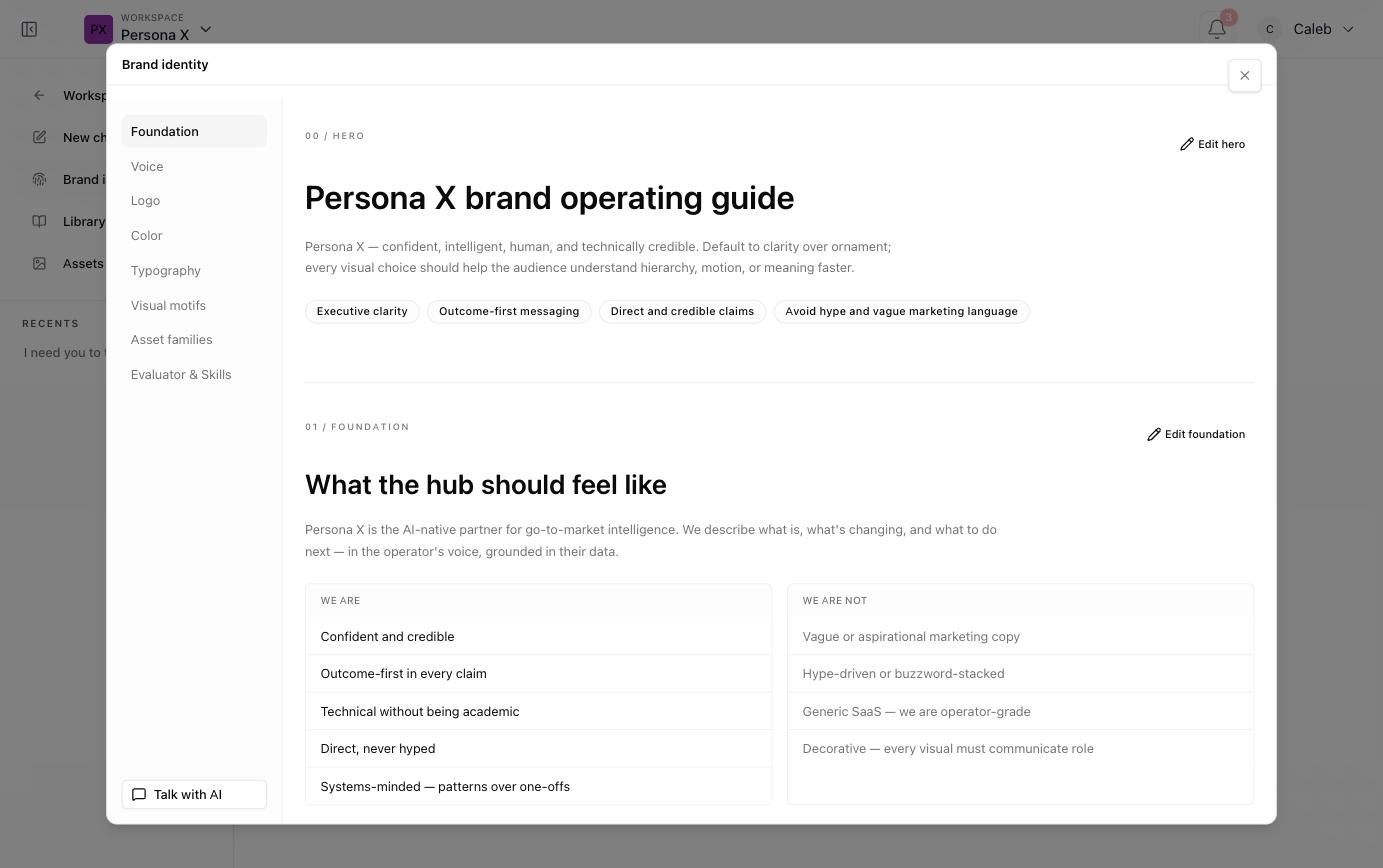
Opens as a full governance reference, organized into eight sections down a left rail:
| Section | Covers |
|---|---|
| Foundation | The hero statement ("brand operating guide"), voice keywords (e.g. Executive clarity, Outcome‑first messaging), and a "We are / We are not" contrast list. |
| Voice | Tone and writing‑style rules. |
| Logo | Logo usage rules and variants. |
| Color | The full color system — see below. |
| Typography | Type family and usage per text role (body copy, bullets, callouts). |
| Visual motifs | The illustration/shape vocabulary (e.g. rounded rectangles, nodes, rails, timelines, concentric rings) and the principle behind it — precise, structured, signal‑rich, never decorative. |
| Asset families | Groupings of reusable brand assets. |
| Evaluator & Skills | The rules an AI evaluator uses to score generated content against this brand. |
Every section has an Edit action, and a persistent Talk with AI button at the bottom‑left lets you propose a rule change conversationally instead of editing fields directly.
Color
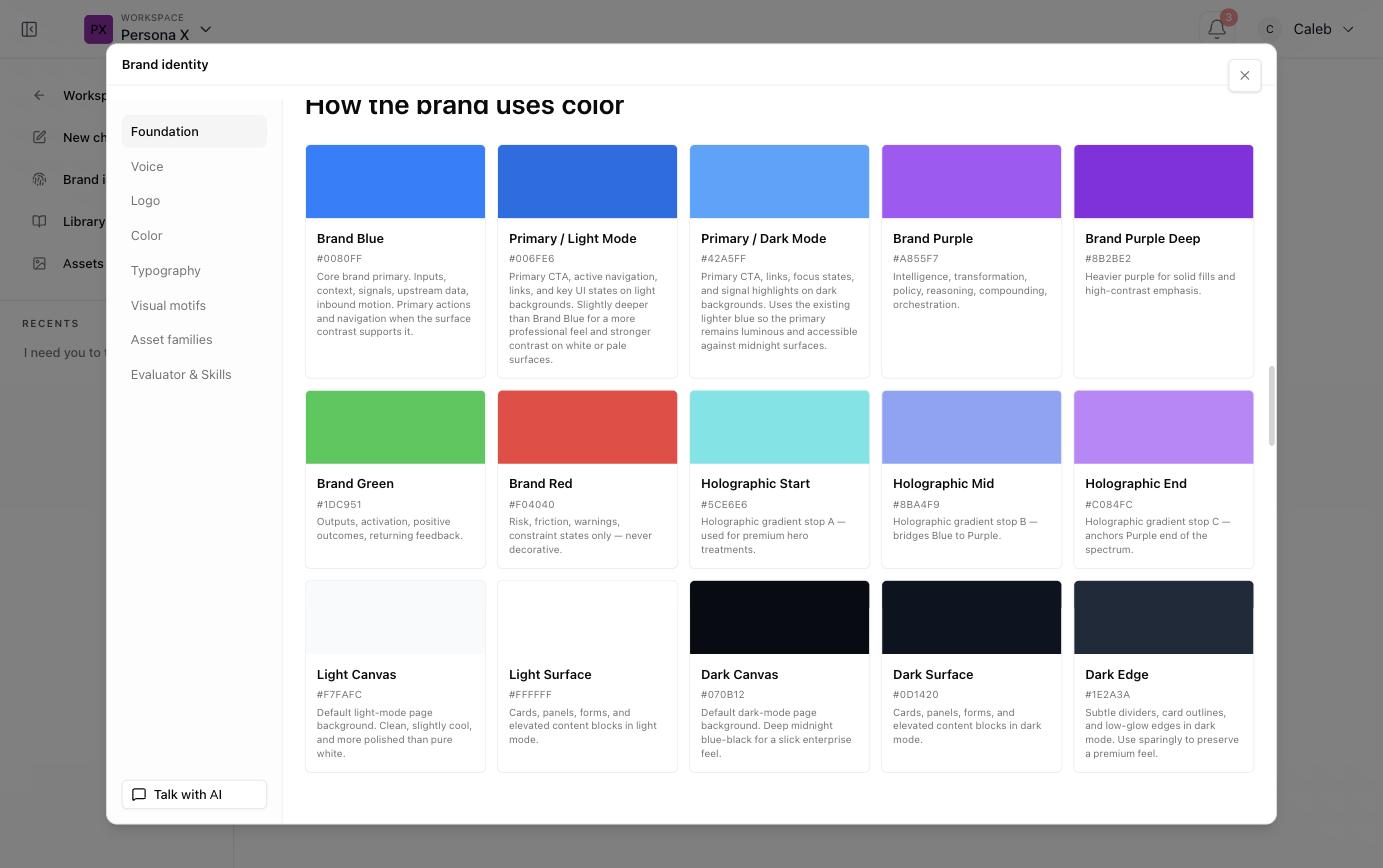
Every swatch is named, hex‑coded, and annotated with its intended use — for example a primary brand blue for inputs and active navigation, a deeper primary for light‑mode CTAs, a lighter one for dark‑mode CTAs, a purple pair for "intelligence, transformation, policy," green reserved for positive outcomes, red reserved for risk/warning states only ("never decorative"), a three‑stop holographic gradient for premium hero treatments, and separate light‑mode/dark‑mode canvas, surface, and edge colors.
Library and Assets
- Library — the brand‑level equivalent of Artifacts: reusable brand documents and templates.
- Assets — the reusable image/media catalog. Artifact generation can search this catalog for existing images before creating new ones, and new assets can be added through a two‑step mint‑then‑finalize upload.