Context: ground your plan in real evidence
Context is this project's Knowledge Bank — every document, transcript, and CRM record that Persona X's AI is allowed to read from and cite. It's described in the product itself as what "re‑reads your CRM notes, documents and persona data."
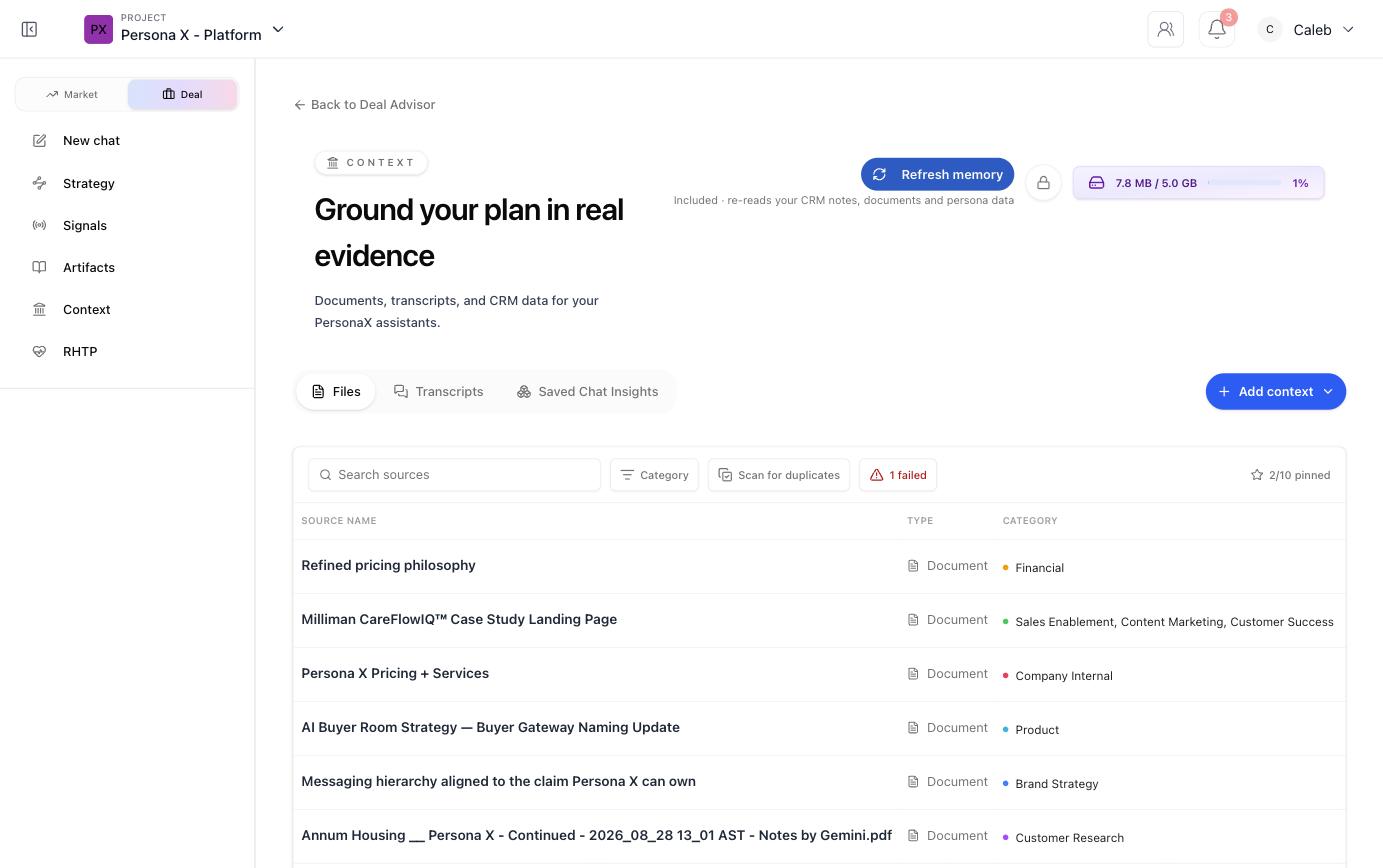
Three kinds of context
| Tab | Contains |
|---|---|
| Files | Uploaded and linked documents — PDFs, Word docs, Google Docs links, spreadsheets, market reports, case studies, competitive research, and similar. |
| Transcripts | Customer interviews or call transcripts. |
| Saved Chat Insights | Key takeaways saved directly out of a chat conversation (see Chatting with Persona X). |
Adding context
Click Add context to upload a file or link a source. Once processed, each source is indexed and immediately available to personas, chat, and artifact generation — no separate publish step. Every source row shows its type and category (Financial, Product, Brand Strategy, Customer Research, Company Internal, and so on), and the list can be searched, filtered by category, and scanned for duplicates.
Pinning
Pin your most important sources (up to 10) so they stay easy to find at the top of the list.
Refresh memory
Re‑reads everything in Context — CRM notes, documents, and persona data — to bring the Brain fully up to date.
Storage
A usage meter in the top‑right (e.g. 7.8 MB / 5.0 GB) shows how much of the project's storage allowance is used.
What belongs here
The kinds of documents that help most, per the product's own guidance: product documentation or user guides, case studies and customer success stories, customer interviews or call transcripts, competitive research and analyses, market reports or industry data, blog posts or articles about your space, and customer feedback or reviews. More sources behind a persona or a strategy block means higher confidence in that profile.